


How the 2026 Hyundai TUCSON’s Smart Driver-Assistance Features Fit Daily Life around Ames, IA
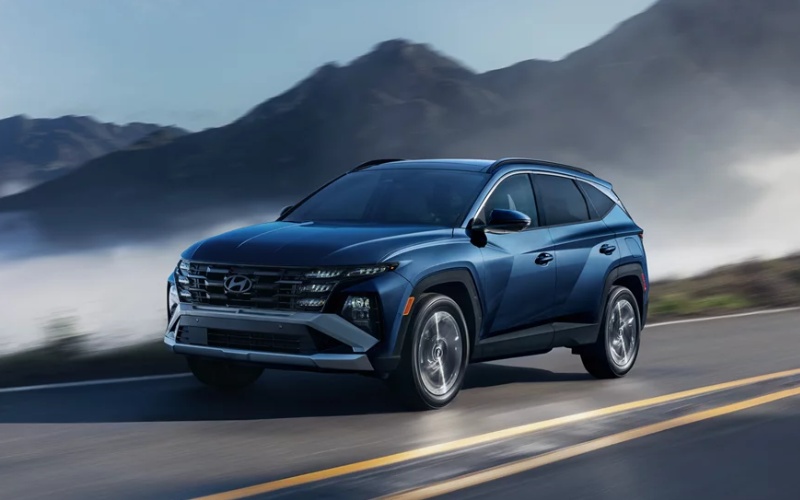
Vern Eide Hyundai Sioux City – How the 2026 Hyundai TUCSON’s Smart Driver-Assistance Features Fit Daily Life around Ames, IA
The 2026 Hyundai TUCSON brings a thoughtful blend of style, space, and confidence-building technology that lines up well with everyday driving around Ames, IA. Whether you’re commuting along US-30, picking up kids near campus, or navigating neighborhood streets during the busiest parts of the day, its advanced driver-assistance systems work in the background to support smooth, less stressful travel. In this blog, we’ll unpack how these features help in real scenarios, what to expect on a test drive, and how to tailor settings so the TUCSON feels like a natural extension of your instincts behind the wheel.
Hyundai’s suite of driver aids—part of Hyundai SmartSense—aims to assist, not replace, your awareness. The technology is most effective when you understand what each system is designed to do and, just as important, what it’s not meant to do. With that clarity, you can let the vehicle shoulder some of the cognitive load on busy routes, while you stay focused on the flow of traffic, pedestrians, and cyclists. The result is a composed, confident drive, even when the day’s schedule is packed.
Core systems that matter most around town
In and around Ames, where speeds vary and intersections can fill quickly during class changes or game days, forward-collision and lane guidance technologies quickly prove their worth. You’ll also appreciate blind-spot support as you merge or change lanes near Duff Avenue or S Grand Avenue, where visibility can be compromised by surrounding traffic. If your errands take you to tight parking areas or crowded lots, available parking sensors and camera views help keep low-speed maneuvers neat and drama-free.
- Forward Collision-Avoidance Assist: Monitors traffic ahead and can apply braking to help mitigate or avoid certain frontal collisions.
- Lane Keeping Assist and Lane Following Assist: Provide steering support to help keep you centered and reduce lane drift on multilane roads.
- Blind-Spot Collision-Avoidance Assist: Helps detect vehicles in adjacent lanes and can apply corrective inputs to assist with safer lane changes.
- Rear Cross-Traffic Collision-Avoidance Assist: Watches for crossing traffic when backing out of driveways or busy parking aisles.
- Available Surround View Monitor: Offers a composite view to help with tight parking, curbside stops, and precise garage entries.
On your first drive, keep these systems active to get a feel for how they support you. Then, explore individual settings to fine-tune alert volumes, intervention levels, and steering assistance so the experience matches your preferences. The goal is to create a calm, predictable rhythm—alerts when you want them, quiet when you don’t.
Longer drives, steadier pace
Ames sits at a convenient crossroads for quick trips to Des Moines or weekend visits up I-35, and that’s where adaptive support helps reduce fatigue. Set your preferred gap with Smart Cruise Control and let the TUCSON maintain speed and distance as traffic ebbs and flows. If your model includes Highway Driving Assist, the lane-centering effect can ease the strain of staying perfectly aligned over long stretches, while you remain attentive and ready to steer as needed.
The 2026 TUCSON’s available HTRAC AWD also contributes to steady, predictable handling when surfaces change between city streets and county roads. It’s not just about traction—it’s about building a consistent, confident feel through the steering wheel so your inputs are rewarded with smooth, stable reactions from the chassis.
Real-world scenarios and how the systems respond
Picture a morning near campus: a car ahead taps the brakes while a pedestrian edges into the crosswalk. Forward Collision-Avoidance Assist is designed to monitor closing speed, cue you to react, and can apply braking support if needed. Or consider an afternoon merge onto US-30 when a vehicle lingers in your blind zone. Blind-Spot Collision-Avoidance Assist can provide alerts and, if necessary, light corrective inputs to help keep the maneuver under control. Backing out after groceries? Rear Cross-Traffic Collision-Avoidance Assist watches for vehicles crossing behind you and can intervene if you don’t see an approaching car.
These aren’t showy technologies; they’re subtle and purposeful, the kind that make a difference in everyday moments. Most drivers notice lower stress at the end of the day because routine decisions feel more supported and fewer surprises slip through the cracks.
What to watch for on your test drive
When you test the 2026 TUCSON, prepare a loop that includes city streets, a short highway stint, and one or two tight parking scenarios. Turn on your preferred driver-assist features, then pay attention to the timing of alerts and how natural the steering support feels. Try a lane change with an adjacent vehicle and note the blind-spot warnings. Set Smart Cruise Control for a few miles to experience how it handles speed changes from lead vehicles. Finally, practice a couple of low-speed maneuvers in a parking lot using available camera views to see how precisely you can place the vehicle.
Also take a moment to explore the digital touchscreen menus and quick-access buttons for driver-assist settings. Once you know where your most-used toggles live, adjusting sensitivity or alerts on the fly becomes second nature.
Living with the tech day to day
Over time, most drivers settle on a consistent configuration—perhaps a medium level of lane assistance, standard volume for alerts, and active blind-spot cues. The TUCSON’s systems are designed to be partners, not constant overseers, and dialing in your preferences makes that partnership feel seamless. If you share the SUV with another driver, consider saving a profile so your settings return the moment you start the vehicle.
All of this tech works best alongside routine driving fundamentals: maintain safe following distances, perform head checks even with blind-spot alerts, and let the TUCSON’s cameras augment your visibility rather than replace it. Thoughtful habits plus capable systems equal a calmer, more confident drive around Ames.
Frequently Asked Questions:
Does the TUCSON automatically steer for me on highways?
Available lane-centering features can assist with steering to help keep you in your lane, but you must remain engaged with hands on the wheel and eyes on the road at all times.
Can I turn off specific driver-assist features?
Yes. You can customize which features are active and adjust alert intensity and steering support to your liking through the vehicle menus.
Will driver-assist tech help in parking lots?
Available Surround View Monitor and parking sensors can help with low-speed maneuvering and spotting obstacles, but you should still move slowly and remain fully aware of your surroundings.
Is HTRAC AWD always engaged?
HTRAC AWD is an available system that actively manages torque distribution for traction when conditions vary, contributing to consistent, composed handling.
Where can I try these features before I buy?
Schedule a test drive and ask for a route that covers city streets, a short highway segment, and a parking scenario so you can sample the systems where you’ll use them most.
If you’re exploring compact SUVs for daily life around Ames, the 2026 Hyundai TUCSON offers an appealing balance of space, intuitive technology, and driver-assistance features that feel genuinely helpful. When you’re ready, Vern Eide Hyundai Sioux City can set up a tailored test drive and walk through how to personalize settings so the TUCSON adapts to your routines. We’re proudly serving Ames, IA, Norfolk, NE, and Sioux Falls, SD, and we’ll make the process clear, convenient, and pressure-free so you can focus on the details that matter to you.
0 comment(s) so far on How the 2026 Hyundai TUCSON’s Smart Driver-Assistance Features Fit Daily Life around Ames, IA